
Quick start · No code, or 5 lines
Voice with Vapi
When a call ends, Vapi sends its end-of-call report to Ledger: the call, its length, its cost, the spoken lines and any transfer.
You need: your Ledger invite (or a Ledger sign-in), and access to the Vapi Dashboard of the assistant that answers your line.
Quick start
Open the Voice tabIN LEDGER
Go to setup step 3, Connect your assistant. Select the Voice · Vapi tab (1), then Create my voice link (2).
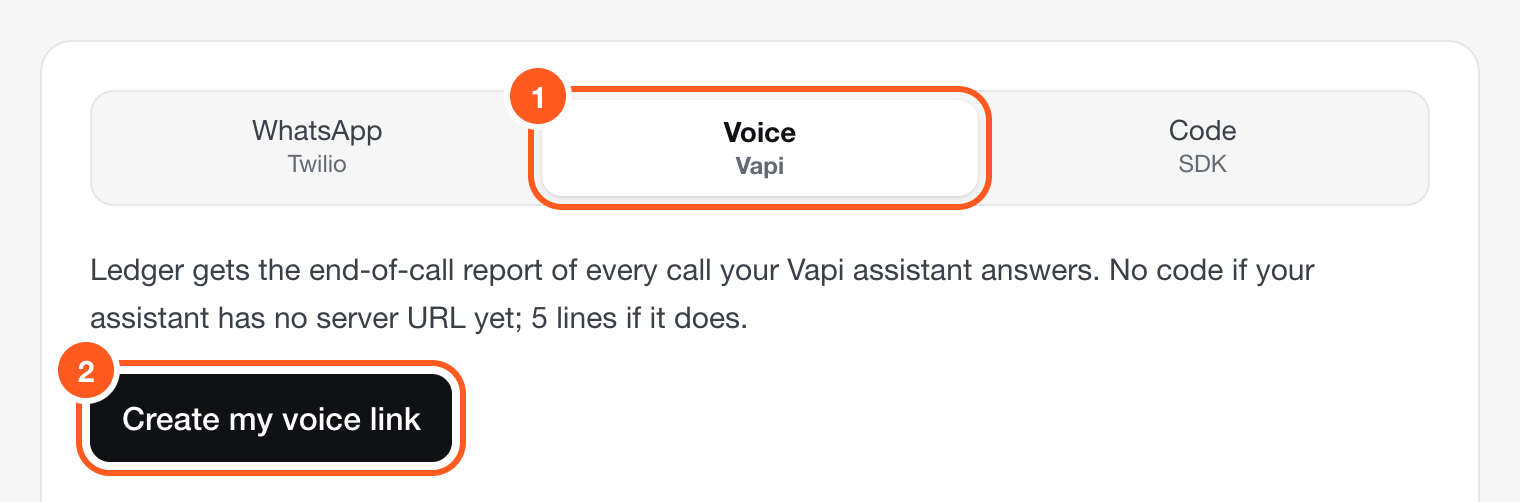
Setup, step 3. Already set up? The same panel is in Settings → Keys. Copy the server URL and the token. The token is shown once.IN LEDGER
The server URL is always the same. The token is yours; Ledger keeps only a fingerprint of it.
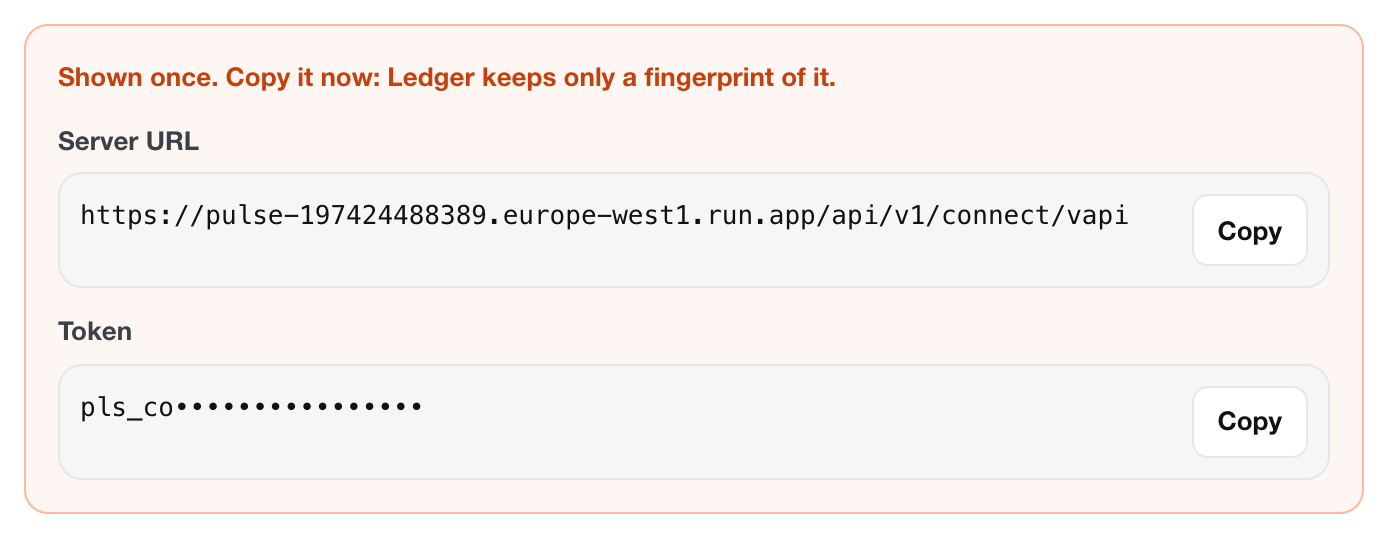
The token is hidden in this picture. Yours is shown in full. Server URL:
https://ledger.100xnative.com/api/v1/connect/vapiConnect your assistant (path A or B)IN VAPI
A. Your assistant has no server URL of its own (no code)
- In the Vapi Dashboard, open Integrations → Server Configuration and select Add Custom Credential. Authentication Type: Bearer Token. Credential Name: Ledger. Token: your Ledger token (step 2) (without “Bearer ”). Header Name: Authorization. Include Bearer Prefix: on. Select Save.
- Open Assistants, select the assistant that answers your line, then open the Advanced tab.
- Under Webhook Server, enter your Ledger server URL (step 2) in Server URL. Leave Timeout at 20 seconds. Under Authorization, choose the Ledger credential.
- Under Server Messages, keep only end-of-call-report ticked.
- Select Publish.
- Make a short test call. Ledger receives it when the call ends.
B. Your assistant already uses a server URL (keep it, add 5 lines)
- Vapi sends each event to one URL only, so keep yours and forward the end-of-call report from your own handler.
- Put your Ledger token (step 2) in an environment variable called LEDGER_VAPI_TOKEN.
- Add these lines inside the handler that receives Vapi’s POST.
- Make sure end-of-call-report is ticked in the assistant’s Server Messages. It is on by default for most assistants.
if (body?.message?.type === "end-of-call-report") { fetch("https://ledger.100xnative.com/api/v1/connect/vapi", { method: "POST", body: JSON.stringify(body), headers: { "content-type": "application/json", authorization: `Bearer ${process.env.LEDGER_VAPI_TOKEN}` }, }).catch(() => {}); }if body.get("message", {}).get("type") == "end-of-call-report": try: requests.post("https://ledger.100xnative.com/api/v1/connect/vapi", json=body, headers={"Authorization": f"Bearer {os.environ['LEDGER_VAPI_TOKEN']}"}, timeout=5) except Exception: passLedger shows the Node lines on the setup screen too, under path B:
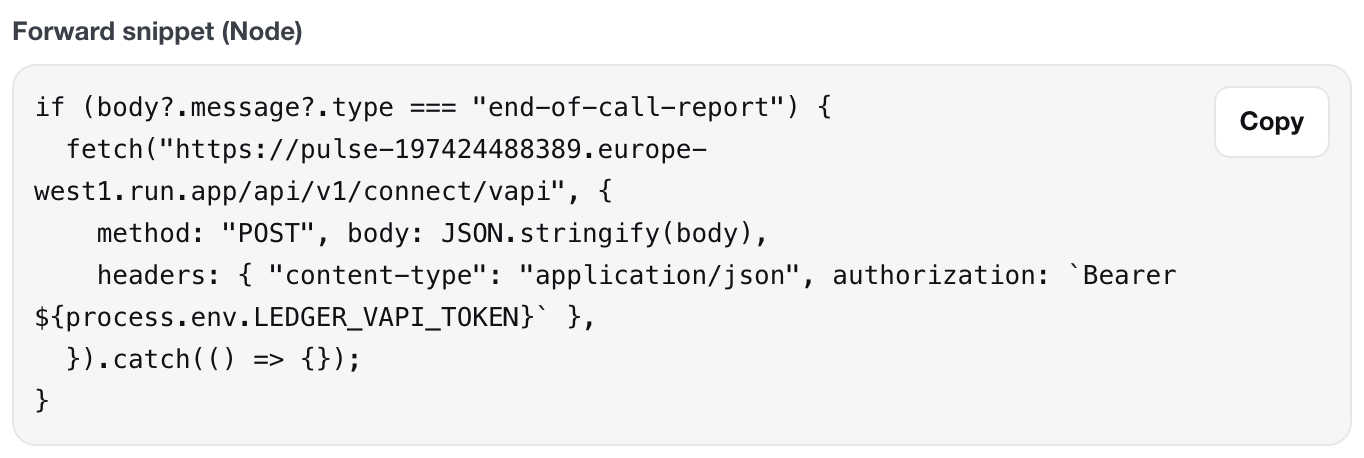
The forward snippet in the Voice tab. It holds no secret: the token stays in LEDGER_VAPI_TOKEN. Neither version can break your handler: errors are swallowed and your reply to Vapi is unchanged. The Node lines do not wait for Ledger; the Python lines wait 5 seconds at most.
Make a test call and watch the lightIN LEDGER
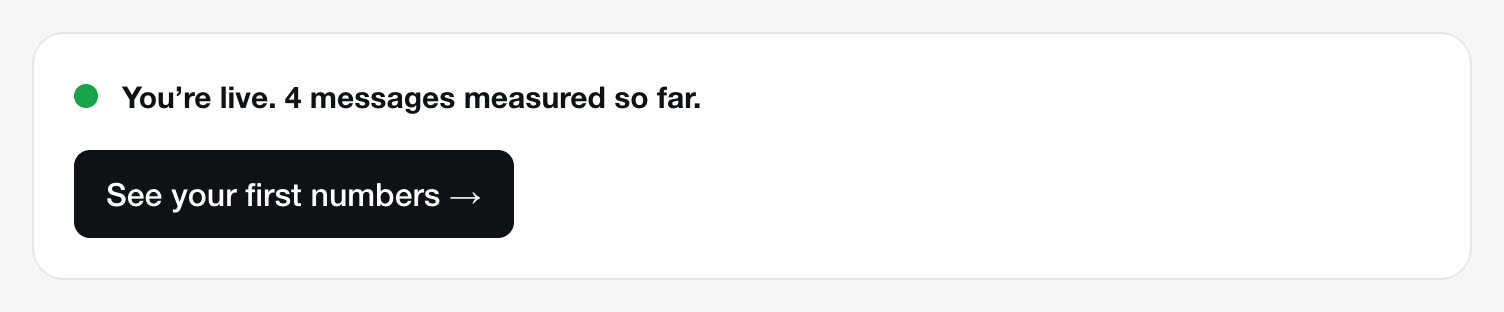
Call your line, say a few words, hang up. The light turns green when the call ends. Then select See your first numbers.
Good to know
- Count your wins. Vapi carries the conversation, not the result. Send each booking, lead or payment from your own system with
ledger.outcome()or the API. How. - Only the end-of-call report counts. Ledger acknowledges every other Vapi message and ignores it. Do not send tool calls or call control to Ledger.
- One call, one conversation. The caller’s lines are “customer”, the assistant’s are “agent”. System and tool lines are left out.
- Transfers. A call that Vapi transferred or forwarded counts as a transferred call, and as sent to your team with the reason “call transferred”.
- Replays are safe. If Vapi sends the same report twice, Ledger updates the same call. Nothing is counted twice.
- To stop: revoke the voice link in Settings → Keys. Revoked tokens stop at once.
How to know it works
1. The live light
Make a short test call to your line and hang up. The report arrives when the call ends. Then look at the light under the connect panel in /setup. It checks every 3 seconds, by itself.

2. The status endpoint
Open https://ledger.100xnative.com/api/v1/status in the browser where you are signed in to Ledger. Or call it with an API key (create one in Settings → Keys; a connector token does not work here):
curl -s https://ledger.100xnative.com/api/v1/status \
  -H "Authorization: Bearer $LEDGER_KEY"
A working connection answers with counts that go up as you test:
{
  "ok": true,
  "tenant": "your-workspace",
  "firstEventAt": "2026-10-25T15:44:03.420Z",
  "lastEventAt": "2026-10-25T15:44:03.419Z",
  "counts": { "conversations": 1, "messages": 4, "llmCalls": 0, "calls": 0, "outcomes": 0 }
}
calls goes up by one per call, and messages by the number of spoken lines.
Troubleshooting
- “401 unauthorized”
Ledger did not recognise the secret. It was mistyped, cut short, or revoked.
- In the Vapi credential, paste the token without the word
Bearer, and keep Include Bearer Prefix on. - Ledger shows each secret once and cannot show it again. Create a new one in Settings → Keys, then revoke the old one.
- In the Vapi credential, paste the token without the word
- No data: the light stays grey
- The report only comes at the end of a call. Hang up, then wait a few seconds.
- Check end-of-call-report is ticked under Server Messages, and that you selected Publish.
- Check the phone number you call is attached to the assistant you changed.
- Open
/api/v1/status(above). If the counts move, data is arriving and the dashboard follows.
- Conversations are grouped wrongly
With Vapi, one call is one conversation. A customer who calls back makes a second conversation.
- Vapi: my assistant already has a server URL
Vapi sends each event to one URL only. Do not replace yours with Ledger’s: keep it, and forward the end-of-call report from your own handler (path B, 5 lines). See path B above.
Stuck? Message us and a person from 100x answers, usually the same day.
Message us